
I taught my first $1,000 AI lesson today. It went pretty well, and I want to make the next one better.
That price is a milestone for me. It also gives me a reason to look closely at what I am providing. I want someone to leave able to make their next change, with a way to tell whether it worked and a way to recover when it didn't.
The learner's work belongs to them. I can talk about my preparation and what I want to improve in my teaching without telling their story for them.
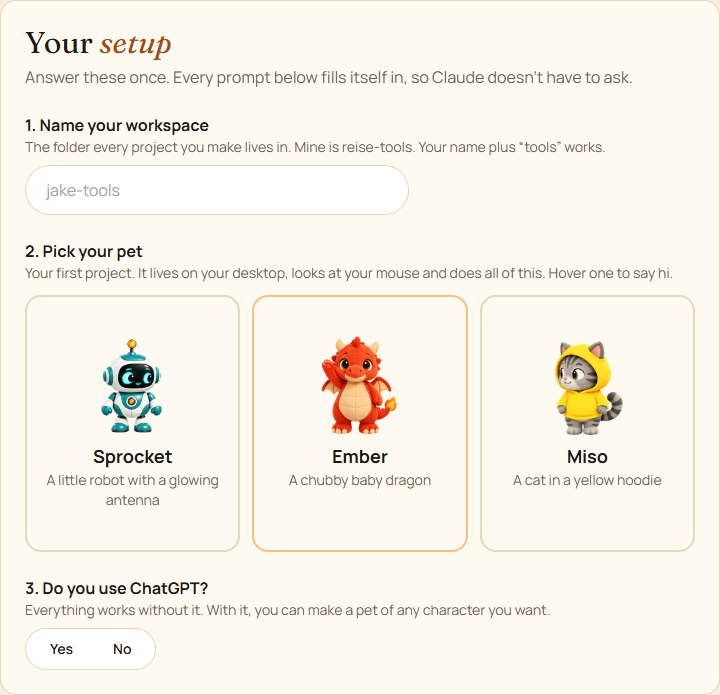
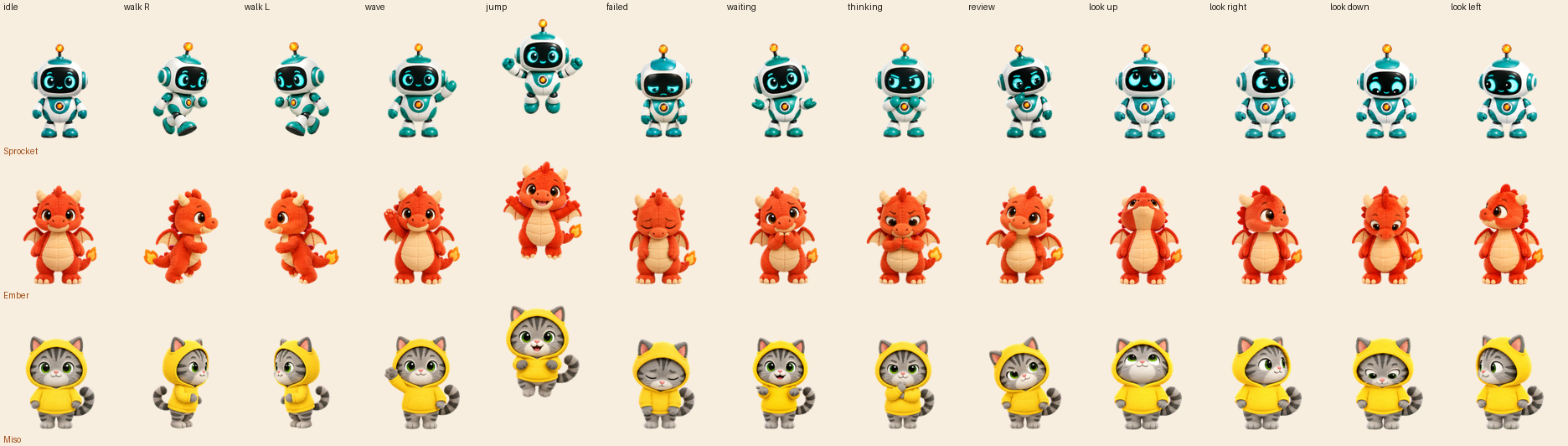
Before the session, I prepared a setup guide and a small first project: an animated desktop pet. Sprocket is a robot, Ember is a baby dragon, and Miso is a cat in a yellow hoodie. The guide asks for a workspace name and uses the answers to fill in the prompts.
I still think that is useful content. A small character gives a beginner something visible to change. Its animation sheet makes different states easy to see: standing, walking, waving, jumping, waiting. There is a manageable lesson in changing one reaction and checking what happens.
But a prepared starting project should be an option. I changed the guide so someone can choose the pet or begin with an idea of their own. The setup now works locally on either path, without requiring GitHub sign-in or hosting. The learner can build a pet or try an idea before deciding what to share.
I also want the lesson to teach a habit that survives the session. Before a change, say what you expect to happen. Make one change. Run it yourself. Compare what happened with what you expected, then explain what you want to keep or change next. Claude can help write and check the code; the learner still needs room to make a decision.
That gives me a more useful standard than whether we got something working while I was there. Can the person reopen their work? Can they make a small change without me directing every step? Do they know what to do when the result is wrong? Those are questions I want to build into the lesson and the handoff.
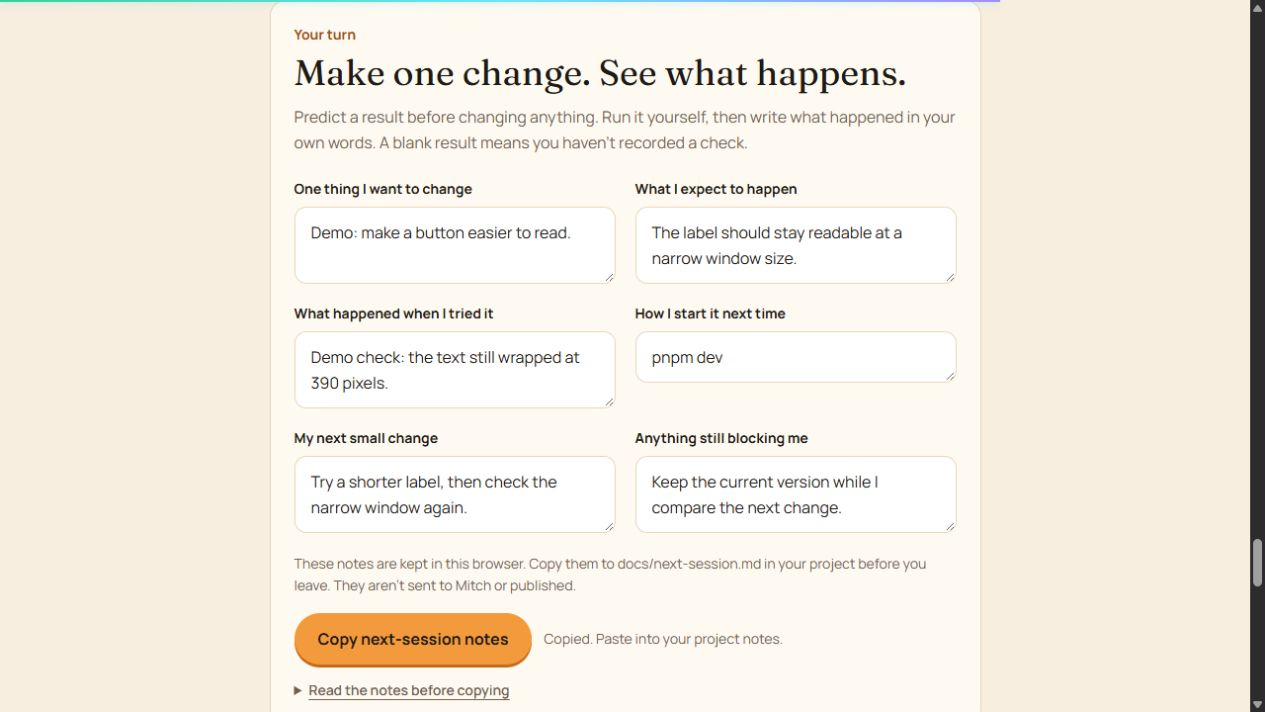
I added a practice worksheet to the guide. It asks for one change, a prediction, the result the person actually observed, the command that starts the project, a next step and anything still blocking them. A blank result stays "not tried yet." A checklist tick is not proof that a lesson was learned.
Those notes stay in the person's browser and can be copied into their project for the next session. They aren't sent to me or published. I also made the pet lessons smaller: change its size, or give it one reaction, then check the result and the behavior that was already working.
That is the preparation I want to keep improving. A small exercise, a check the learner runs, and a next step they choose. The pet can be one starting point. Their own idea can be another.
Today was a good first experience. The useful work now is to improve the materials, use them again, and see what people can do for themselves.
Source links
- My teaching outline — current teaching goals.
- My practice worksheet demonstration — demonstration answers, not learner work.
- My setup guide — access code required.
